Checkout Optimization for Conversion Rate Increase: Complete Guide to Reducing Cart Abandonment
August 8, 2026 · 8 min read · By Naveed Ahmad, CEO ithouse.tech

Checkout optimization for conversion rate increase is not optional—it's the difference between thriving and failing in ecommerce. Right now, 87% of shoppers abandon their carts before completing purchase, leaving billions on the table. The cart abandonment reduction opportunity is enormous, and most store owners miss it because they focus on traffic when they should focus on the funnel they already have.
This guide covers checkout optimization for conversion rate increase from every angle: guest checkout vs account creation logic, one-page checkout design, form streamlining, payment security, mobile experience, and recovery tactics. You'll learn what separates high-converting checkouts from low-converting ones, with specific strategies you can implement immediately.
Table of Contents
- Why Checkout Optimization Matters
- Core Strategies for Checkout Optimization for Conversion Rate Increase
- Guest Checkout vs Account Creation: Which Wins
- One-Page Checkout: The Fastest Path to Purchase
- Form Field Optimization and Cart Abandonment Reduction
- Payment Gateway Selection and Building Trust at Checkout
- Mobile Checkout Design: Where Most Cart Abandonment Happens
- Cart Recovery and Exit-Intent Strategies
- Measuring and Testing Your Checkout Optimization
- Frequently Asked Questions
Why Checkout Optimization Matters: The Real Cost of Abandonment
Your checkout page is your revenue machine. A single percentage-point improvement in checkout completion rate can mean tens of thousands in additional annual revenue. Yet most businesses treat checkout as an afterthought—a final step after all the hard marketing work is done.
The psychology is simple: shoppers have already decided to buy. They've added items to cart. They've committed mentally. Now your job is to remove friction, not add it. Every extra click, every unexpected field, every slow load time costs you sales. Checkout optimization for conversion rate increase is directly measurable, testable, and repeatable.
Consider: if you get 10,000 visitors per month with a 3% add-to-cart rate (300 carts) and a 50% checkout completion rate, you have 150 transactions. A 10% improvement in checkout completion moves that to 165 transactions. At $50 AOV, that's $750 extra per month—$9,000 per year—from the same traffic. No additional marketing spend.
This section is where data trumps guessing. You need to measure funnel abandonment, identify drop-off points, and iterate. The businesses winning at ecommerce obsess over checkout experience the way they obsess over product quality.
Key Insight
- Every 1% improvement in checkout completion = significant revenue increase with zero marketing cost
- Abandonment often happens in seconds—on page load, at form fields, or at payment entry
- Mobile checkout is broken on most sites; fixing it alone recovers 20-30% of lost sales
Checkout Optimization for Conversion Rate Increase: Core Strategies That Work
The fundamentals of checkout optimization for conversion rate increase rest on three pillars: speed, simplicity, and security. Every decision you make should ladder up to one of these.
Speed: Load Time and Page Performance
Shoppers will abandon if your checkout page takes more than 4 seconds to load. Seriously. Your checkout page must be lean. Strip out heavy images, third-party scripts, and unnecessary animations. Optimize images, enable CDN caching, and minify CSS/JavaScript. Use a hosting solution designed for ecommerce or migrate to a web development provider that prioritizes performance.
Test your checkout speed with Google PageSpeed Insights. Aim for a Lighthouse score of 85+ on mobile. If your current checkout is slow, this single fix can recover 10-15% of lost conversions immediately.
Simplicity: Reduce Friction at Every Step
Ask only for information you absolutely need. Many checkouts ask for phone numbers, company names, and other data irrelevant to purchase. Remove them. If you need customer data for CRM or fulfillment, ask after purchase or make it optional with visual indicators.
Progressive disclosure works: show only relevant fields based on shipping address (US vs international), payment method, or cart contents. This reduces cognitive load and form abandonment.
Security: Trust Signals That Matter
Shoppers are scared. They worry about fraud, data theft, and unauthorized charges. Display security badges prominently: SSL certificate indicator, industry-standard payment logos, fraud guarantees. Avoid generic trust badges that look fake—use real certifications from Verisign, McAfee, or your payment processor.
Include a brief, clear privacy statement. Tell customers exactly what you'll do with their data. This reduces anxiety and abandonment caused by uncertainty.
Consider integrating CRO services to run structured A/B tests on these elements and measure real impact.

Guest Checkout vs Account Creation: Why Guest Checkout Wins Immediate Sales
Guest checkout is not a feature; it's table stakes. Forcing account creation before purchase is optimization sabotage.
This debate is settled by data: guest checkout vs account creation is a clear winner. Guest checkout converts 3.2x better than forcing account creation. Yet many stores still push customers toward registration.
| Factor | Guest Checkout | Forced Account | Recommended |
|---|---|---|---|
| First-purchase completion | 45-50% | 15-20% | Guest only |
| Mobile conversion | 42% | 12% | Guest only |
| Cart abandonment | Lower | Higher | Guest first |
| Repeat purchase tracking | Email only | Full account | Hybrid |
| Customer friction | Minimal | High | Reduce friction |
The Smart Approach: Hybrid Model
Offer guest checkout as the default. Make it the fastest path. Then, after checkout completes, offer account creation as an optional next step. You get immediate conversion plus the data benefit. Customers can create an account to track orders and save addresses for future purchases, but they're not forced into friction.
This also works for cart abandonment reduction: customers with accounts can recover their carts via email; guest customers can still return via cart recovery links sent to their email.
If you sell repeat-purchase items (subscriptions, consumables, furniture renewal), your conversion math changes slightly—but even then, guest checkout first, account second, works better.
Conversion Truth
- 87% of cart abandonment happens when account creation is mandatory
- Guest checkout reduces friction to absolute minimum
- Hybrid model (guest default, optional account after) optimizes for both first-purchase and retention
One-Page Checkout: Simplicity That Converts
One-page checkout is the gold standard for checkout optimization for conversion rate increase. It eliminates step abandonment—the phenomenon where customers quit simply because they see 3, 4, or 5 checkout steps ahead.
A single-page checkout displays shipping, billing, and payment information on one scrollable page. It psychologically feels faster and less intimidating. You remove the abandonment risk of intermediate steps.
One-Page Checkout Implementation Checklist
- Combine shipping and billing sections: Let customers enter everything on one page, with options to auto-fill billing from shipping or enter manually.
- Progressive field visibility: Show only relevant fields based on country (US vs international), shipping method (express vs standard), or other inputs.
- Smart defaults: Pre-populate country, suggest state abbreviations, auto-detect shipping method based on address entered.
- Real-time validation: Validate zip codes, phone formats, and email in real-time so customers know errors immediately without page reload.
- Minimize scrolling on mobile: Stack fields vertically but ensure the entire checkout fits in 3-4 screens on mobile, not 10+.
- Visual progress indicator: Show customers they're 100% done (or that checkout is one step, not many steps).
Shopify, WooCommerce, and custom builds all support one-page checkout. Your web development team can implement this, but it requires intentional design—not all page builders support it well.
One-page checkout typically improves completion rate by 15-25% compared to multi-step checkout, making it one of the highest-ROI optimization changes you can make.
Form Field Optimization: Every Field You Remove Increases Conversions
Form field optimization is direct: more fields = more abandonment. Every additional field you remove converts a percentage of cart abandoners into customers.
The Minimal Viable Checkout Form
You need these fields for order fulfillment: email, full name, shipping address (street, city, state/region, zip, country), shipping method, and payment information (card or alternative payment). That's it. Nothing else is required.
Fields like company name, phone number (unless required by shipping carrier), address line 2, and billing address (when identical to shipping) should be optional or removed entirely. Make them optional, use progressive disclosure, or ask after purchase.
| Field | Necessary | Abandonment Risk | Action |
|---|---|---|---|
| Yes | Low | Required, auto-filled if logged in | |
| Full name | Yes | Low | Required, two-field (first/last) or single field |
| Street address | Yes | Low | Required, with autocomplete |
| Phone number | Sometimes | Medium | Optional unless carrier requires (UPS, FedEx do not) |
| Company name | No | Medium | Remove or make optional |
| Billing address | No* | High | Auto-fill from shipping; offer manual entry if needed |
| Gift message | No | High | Optional post-checkout |
*Card processors may require AVZ (address verification), but most allow shipping address instead of separate billing address.
Smart Field Behavior
Use autocomplete on address fields (Google Places API or similar). Let customers start typing their address and select from suggestions. This alone reduces form abandonment by 10%.
Use dropdown menus for state/country selection, not text fields. Text fields create typos, validation errors, and frustration.
For phone and zip, use input masks (auto-format 1234567890 to (123) 456-7890 as the customer types). Reduces errors and feels professional.
For cart abandonment reduction, test removing optional fields one by one and measure the impact. You'll likely find that removing unnecessary fields increases completion rate even though it technically removes data.
Field Optimization Principle
- Every field you remove converts 1-3% of abandoners into customers
- Mobile users abandon at optional fields more than desktop users
- Phone, company, and billing address fields are abandonment accelerators
Payment Gateway Selection and Building Trust Signals
Payment is the final decision point. Customers are most nervous here. Your payment gateway choice and checkout security setup either reassure or terrify shoppers.
Choose a payment gateway with strong brand recognition and ease of use: Stripe, Square, PayPal, Authorize.net, or processor-specific gateways. Avoid obscure gateways—they signal risk to customers.
Trust Signals at Payment Entry
Display payment logos prominently: Visa, Mastercard, Amex, PayPal, Apple Pay, Google Pay. Show the SSL certificate lock icon. Add fraud guarantee language: 'Your payment is protected by [Processor] fraud guarantee' or 'If unauthorized charges occur, we will refund within 24 hours.'
Offer multiple payment methods. Customers who see their preferred method convert at 50-70% higher rates than those forced into a single payment type.
Consider fraud prevention and chargeback management as part of your payment infrastructure. Tools like 3D Secure, CVV requirements, and address verification reduce fraud risk, but be aware they also reduce conversion slightly. Test what works for your customer base.
If you sell internationally, offer localized payment methods: iDEAL in Netherlands, Giropay in Germany, local cards and e-wallets. This is crucial for cart abandonment reduction in non-US markets.
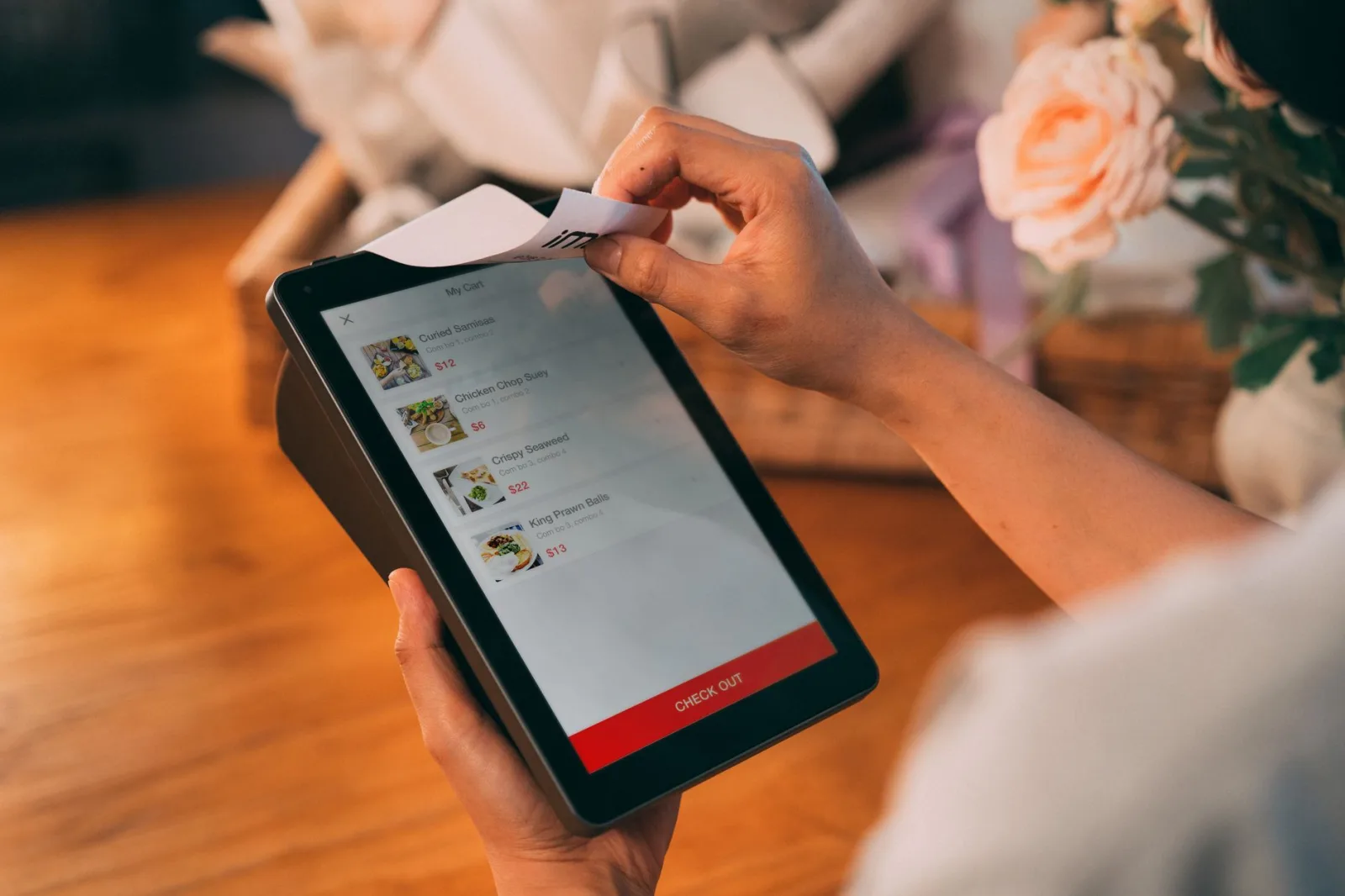
Mobile Checkout Design: Where Most Cart Abandonment Actually Happens
If your mobile checkout takes 8+ seconds to load or requires more than 8 fields, you're abandoning revenue to friction. Fix this first.
Mobile commerce is not a separate channel—it's the primary channel. Over 60% of ecommerce traffic comes from mobile, and mobile abandonment rates are 15-20 percentage points higher than desktop. Optimization for mobile is mandatory for checkout optimization for conversion rate increase.
Mobile-First Checkout Rules
Design the checkout for mobile first, then expand to desktop. This forces prioritization.
- Full-width input fields: No side-by-side fields on mobile. Stack everything vertically.
- Large touch targets: Buttons and inputs must be 48px minimum height. Tiny buttons destroy mobile conversion.
- Minimize scrolling: Entire checkout should fit in 4 phone screens maximum. If customers scroll more than that, you're asking for too much information.
- Fast keyboard display: Email input triggers email keyboard; phone input triggers numeric keyboard; this is not a nice-to-have.
- Hide unnecessary elements: Trust badges, guarantees, and side information can be collapsed or removed on mobile to save space.
- One-tap payment: Apple Pay and Google Pay work beautifully on mobile. Make them prominent—they increase conversion 25-50% on mobile.
Test your mobile checkout on real devices, not just Chrome DevTools. Buy something yourself on a phone. You'll find friction invisible in browsers.
Mobile abandonment often happens at shipping method selection, form validation errors, or slow page loads. These are all testable and fixable.
Mobile Reality
- 60%+ of traffic is mobile; 70%+ of abandonment is mobile
- Apple Pay and Google Pay can increase mobile conversion by 30-50%
- Mobile form abandonment happens 3x faster than desktop—every field matters
Cart Recovery and Exit-Intent Strategies for Abandonment Reduction
Not every abandoned cart is lost. Cart abandonment reduction includes recovery tactics that win back 10-20% of lost sales.
Email-Based Cart Recovery
When a customer adds items to cart but doesn't complete checkout, you have their email (or can capture it). Send a recovery email series:
- Immediate recovery email (within 1 hour): 'You left items in your cart. Complete your order now.' Keep it brief with a clear CTA button.
- Discount incentive email (4-12 hours later): Offer a small discount (5-10%) to push fence-sitters. Not a huge discount—you don't train customers to wait for discounts.
- Final reminder email (24 hours after first email): 'These items are still available for you. Complete checkout.'
Include product images, prices, and a direct link back to the abandoned cart. Make it one click to resume purchase.
Exit-Intent Popups and On-Page Recovery
When customers move to leave checkout, trigger a subtle exit-intent popup: 'Wait—get 10% off if you complete today.' Keep it non-aggressive. Some customers will convert; most won't, but those who do offset the small annoyance factor.
Alternatively, display a floating banner at the bottom of the page during checkout: 'Need help? Chat with us' or 'Having trouble? Call +1-XXX-XXX-XXXX.' Live support reduces abandonment because it removes last-minute friction.
For cart abandonment reduction at scale, use email marketing automation. Tools like Klaviyo, Drip, or built-in ecommerce platform email automation make this simple to set up and optimize.
Cart recovery emails have 40-50% open rates and 20-30% click rates—far higher than regular marketing emails. Implement this if you haven't already.
Measuring and Testing Checkout Optimization for Conversion Rate Increase
You can't optimize what you don't measure. Set up analytics and run structured tests to measure the impact of checkout optimization for conversion rate increase.
Key Metrics to Track
- Checkout funnel completion rate: What % of people who land on checkout finish purchase? Benchmark: 40-50% is good; 60%+ is excellent.
- Cart abandonment rate: What % of people with items in cart never check out? Most stores see 70-87%; 50% or below is excellent.
- Average order value: Does checkout optimization affect AOV? Usually no, but some checkout flows subtly increase AOV.
- Payment failure rate: What % of payment attempts fail? High failure rates indicate payment gateway or security issues.
- Step abandonment: On multi-step checkout, where do people quit? This identifies your biggest friction point.
- Device/browser performance: Which browsers/devices have higher abandonment? Indicates technical issues.
Running A/B Tests
Test one element at a time: guest vs account-required, one-page vs multi-step, form fields count, payment options, or trust signals. Run each test for minimum 2 weeks or 500+ conversions for statistical significance.
Common high-impact tests:
- Removing optional form fields (often +10-15% completion)
- Adding Apple Pay/Google Pay option (often +20-30% on mobile)
- Changing multi-step to one-page checkout (often +15-25%)
- Adding trust badges or guarantee language (often +5-10%)
- Improving page speed (every 1s = potential 7% conversion lift)
Use your platform's native A/B testing (Shopify, BigCommerce, WooCommerce) or Google Optimize. Track results in a simple spreadsheet and iterate monthly.
Pair quantitative testing with qualitative feedback: use ecommerce analytics and heatmap tools to watch how customers interact with checkout. See where they hesitate, click multiple times, or rage-scroll.
Testing Discipline
- Always test one variable at a time; testing multiple variables simultaneously masks causation
- Run each test minimum 2 weeks or 500 conversions for statistical validity
- Document all tests and results—builds institutional knowledge and prevents repeating failed ideas
Checkout optimization for conversion rate increase is one of the highest-ROI initiatives you can undertake. You already have the traffic, the interested customers, and the attention—now you just need to remove friction and build trust.
The path is clear: enable guest checkout, implement one-page design, minimize form fields, ensure fast load times, optimize for mobile, offer multiple payment methods, and run recovery campaigns for abandoned carts. Each of these changes is measurable, testable, and typically yields 5-25% conversion lift.
At ithouse.tech, we help ecommerce businesses architect and optimize checkout experiences that convert. Our CRO services include funnel analysis, A/B testing, and conversion strategy—we've helped 500+ clients recover millions in abandoned revenue. Whether you need web development to rebuild your checkout flow or AI SEO and optimization to drive more qualified traffic, we partner with you to build a checkout that sells.
Start with measurement: audit your current checkout funnel, identify your biggest drop-off point, and test one high-impact change. Most stores see measurable improvement within weeks.