Best POS System for E-Commerce & Retail Businesses 2026: Complete Buyer's Guide
August 7, 2026 · 8 min read · By Naveed Ahmad, CEO ithouse.tech
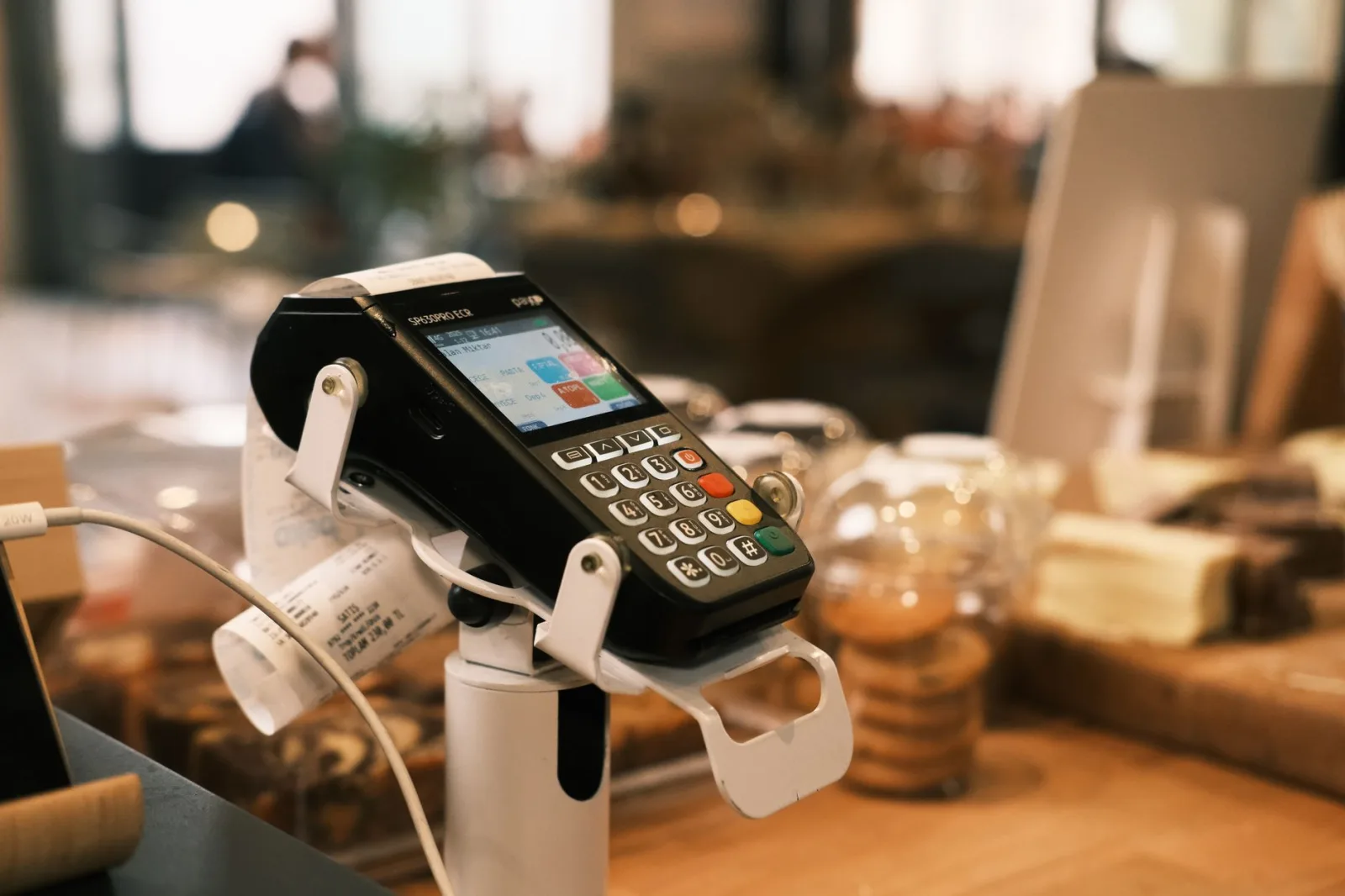
A POS system for e-commerce and retail businesses is no longer optional—it's fundamental to survival. Whether you run a Shopify store, a brick-and-mortar boutique, or both, the right point of sale software directly impacts your bottom line through faster transactions, fewer errors, and better customer data.
This guide walks you through selecting, implementing, and optimizing a POS system for e-commerce and retail businesses in 2026. You'll learn what separates market leaders from outdated solutions, which platforms deliver real ROI, and the exact criteria to evaluate against your unique business needs.
If you're managing inventory, processing payments, or tracking sales across channels, this guide gives you the framework to make a confident decision that scales with your growth.
Table of Contents
What Makes a Modern POS System for E-Commerce and Retail
Modern businesses run on unified data. A fragmented POS system means fragmented insights—and fragmented profits.
A POS system for e-commerce and retail businesses is a software platform that processes transactions, manages inventory, tracks customer data, and integrates payment methods into a unified dashboard. Modern systems work across online stores, physical locations, and mobile devices simultaneously.
Unlike legacy systems that lived solely at a register, today's platforms unify online and offline sales. A customer browsing your website and then visiting your store should see consistent pricing, inventory levels, and loyalty rewards—that's what a modern POS system for e-commerce and retail businesses delivers.
Why Your Business Needs One Today
Manual checkout processes lose customers. Slow inventory sync creates stockouts. Offline payment processing eats margins. Cloud-based solutions eliminate all three. A strong e-commerce SEO strategy drives traffic, but a fragmented POS system loses those hard-won conversions.
The market has shifted dramatically. Consumers expect one-click checkout, mobile payments, and real-time order tracking. Your POS system for e-commerce and retail businesses must support these experiences or competitors will capture your revenue.
Core Purpose of a Modern POS
- Process payments across channels instantly
- Sync inventory in real-time
- Build customer profiles and loyalty data
- Generate analytics for smarter decisions

Critical Features of Point of Sale Software
Not all point of sale software is equal. Feature gaps cost you time, money, and customer trust. Here's what separates leaders from laggards.
Payment Processing & Security
Your POS system for e-commerce and retail businesses must support multiple payment methods: credit cards, debit, digital wallets (Apple Pay, Google Pay), and local payment options. It must be PCI-DSS compliant and encrypt all transaction data.
Slow payment processing kills conversions. If checkout takes longer than 60 seconds, abandonment spikes dramatically. Cloud-based systems typically process faster than on-premise alternatives because they're optimized for high volume and redundancy.
Inventory Management Across Channels
Real-time inventory sync prevents overselling. When a customer buys online, that stock should instantly reflect in-store. When you receive new inventory at your warehouse, it should update all channels at once. Manual updates mean chaos.
Many businesses still use spreadsheets for inventory—a recipe for disaster. A modern POS system for e-commerce and retail businesses tracks stock at the SKU level across unlimited locations and automatically flags low-stock items.
Customer Data & Loyalty
Your POS system for e-commerce and retail businesses should capture customer contact info, purchase history, and preferences. This data fuels loyalty programs, personalized marketing, and targeted upsells. Loyalty programs alone increase customer lifetime value by 25–30%.
Analytics & Reporting
If your POS doesn't show you what sold, when, and why, you're flying blind. You need dashboards for daily sales, top products, staff performance, and profit margins. These insights drive inventory decisions, staffing schedules, and product selection.
| Feature | Essential? | Impact on Business |
|---|---|---|
| Multi-channel payment | Yes | Captures all revenue streams |
| Real-time inventory | Yes | Prevents oversells and stockouts |
| Customer profiles | Yes | Enables targeted marketing and loyalty |
| Mobile POS | Yes | Faster checkout and floor sales |
| Advanced analytics | High | Data-driven decisions |
| API integrations | High | Connects to accounting, shipping, marketing |
| Offline mode | Medium | Resilience during outages |
A POS system for e-commerce and retail businesses without real-time inventory will cost you sales and customer trust.
Non-Negotiable Features
- Real-time payment processing across all methods
- Live inventory sync for all sales channels
- Built-in customer data capture and loyalty
- Mobile-first interface for staff and customers
Top POS Platforms Compared for 2026
The best POS platforms in 2026 fall into two categories: all-in-one solutions that include e-commerce, and specialized retail platforms you integrate with your online store.
All-in-One Solutions (Built-in E-Commerce)
Shopify POS, Square, Toast, and Lightspeed offer integrated online and offline sales. These platforms own your e-commerce experience and POS in one ecosystem. Advantage: seamless inventory and customer data sync. Disadvantage: less flexibility if you want to customize your storefront heavily.
Specialized Retail Platforms
Vend, Clover, and Aloha focus on the in-store experience. You connect them to your e-commerce platform via API. Advantage: best-in-class retail features. Disadvantage: more moving parts and potential sync delays.
| Platform | Best For | E-Commerce Strength | Price Range |
|---|---|---|---|
| Shopify POS | Growing online + retail brands | Excellent—native integration | $29–$299/month + 2.7% per transaction |
| Square | Small retail or startups | Good—basic e-commerce included | $0–$99/month + 2.6–3.5% per sale |
| Toast | Restaurants and food service | Moderate—order pickup focus | $99–$299/month + per-transaction fees |
| Lightspeed | Mid-market retail chains | Strong—modular approach | $99–$249/month per location + fees |
| Vend | Boutiques and specialty retail | API integrations required | $149–$299/month + integrations |
For a hybrid business (online + physical store), Shopify POS typically offers the smoothest experience because inventory, customers, and orders sync automatically. For pure retail, Lightspeed and Vend provide deeper analytics and staff management.
Choosing by Business Type
- Online-first + retail: Shopify POS or Square
- Pure retail chains: Lightspeed or Vend
- Restaurant/food service: Toast or Square for Restaurants
- Enterprise/custom: Aloha or Oracle Micros
POS Selection Guide: Step-by-Step Evaluation
The cheapest POS often becomes the most expensive when you factor in fees, workarounds, and the cost of switching later.
Choosing the wrong POS system costs thousands in wasted fees, lost productivity, and abandoned integrations. Here's how to evaluate systematically.
- Audit your current pain points. What's broken right now? Slow checkout? Inventory chaos? Poor customer data? List your top 5 problems and match them to POS features.
- Define your growth roadmap. Are you adding locations? Going omnichannel? Launching a loyalty program? Choose a POS that supports your 2-year plan, not just today's needs.
- Calculate total cost of ownership. Don't just look at monthly fees. Factor in per-transaction costs, gateway fees, staff training, implementation, and integration costs. A 'cheap' POS with 3% transaction fees can cost more than a $200/month platform with bundled payments.
- Test the interface with real staff. The best POS is useless if your team can't learn it. Request demos and ideally a free trial with live transactions. Watch how quickly staff complete a checkout.
- Verify integrations you need. Does it connect to your accounting software? Your shipping platform? Your email marketing tool? A POS in isolation creates manual work and data silos.
- Check security and compliance. Confirm PCI-DSS Level 1 compliance, data encryption, and backup procedures. Ask about their SLA uptime guarantee (99.9% minimum).
- Review mobile and offline capabilities. Can staff process payments from anywhere on the floor? What happens during internet outages—can transactions sync later? These matter in peak sales periods.
- Talk to current customers. Contact references provided by the vendor. Ask about implementation timelines, hidden costs, and support quality. This is where reality emerges.
A digital marketing strategy brings traffic, but a poor POS system for e-commerce and retail businesses converts that traffic inefficiently. Take selection seriously.
Request a free trial. Watch your team use it during a real sales period. Their feedback matters more than vendor promises.
Implementation & Integration Best Practices
A POS system for e-commerce and retail businesses is only as good as its execution. Poor implementation wastes months and creates customer chaos.
Pre-Launch Planning
Allocate 4–8 weeks for setup, training, and testing before going live. This includes data migration from your old system, configuring product catalogs, setting up staff accounts, and integrating payment processors and shipping carriers.
A common mistake: trying to fix POS problems as you launch. Instead, test thoroughly in parallel with your old system. Run both for 1–2 weeks to catch bugs before fully switching.
Staff Training
Your team is the interface between the POS system for e-commerce and retail businesses and your customers. If staff doesn't know how to use it, conversions drop and frustration rises. Invest in hands-on training, not just videos. Have superusers on each shift initially to answer questions.
Data Migration
Moving product data, customer records, and transaction history from your old system is where projects fail. Work with your vendor or a migration specialist. Verify record counts and spot-check data post-migration. Corrupt customer data creates refund chaos.
Integration Roadmap
Your POS system for e-commerce and retail businesses should connect to: accounting software (QuickBooks, Xero), shipping platforms (Shopify Shipping, ShipStation), email marketing (Klaviyo, Mailchimp), and analytics (Google Analytics). Map these integrations in advance and test each one.
A strong CMS foundation syncs with your POS to keep product info, pricing, and descriptions consistent everywhere.
Implementation Checklist
- 4–8 week timeline minimum
- Run old and new systems in parallel first
- Hands-on training for all staff
- Test integrations before full launch
- Verify data migration completely
Common Mistakes When Choosing a POS System
Businesses make predictable errors when selecting a POS system for e-commerce and retail businesses. Knowing them helps you avoid expensive failures.
Mistake 1: Picking Based on Price Alone
A 'free' or cheap POS with high per-transaction fees becomes expensive fast. On $100,000 in annual sales, a 3% processing fee ($3,000) easily exceeds a $150/month platform ($1,800). Look at total cost over 12 months before deciding.
Mistake 2: Ignoring Inventory Real-Time Sync
A customer buys your last item online while your staff in-store tries to sell the same product to another customer. That's a service failure a modern POS system for e-commerce and retail businesses prevents instantly. Don't compromise on this.
Mistake 3: No Mobile Capability
Customers expect mobile checkout and staff expect mobile POS to reduce lines. If your system requires a stationary register, you lose both speed and flexibility. Mobile is now baseline, not optional.
Mistake 4: Weak Integration Ecosystem
A POS that doesn't connect to your accounting software means manual entry and reconciliation chaos. Check integrations for every tool you use before committing.
Mistake 5: Skipping Customer Data Capture
Your POS system for e-commerce and retail businesses should automatically collect email and phone for every transaction (with consent). This data fuels repeat sales, loyalty programs, and email marketing. Many businesses leave revenue on the table by ignoring this.
Avoiding these mistakes requires asking hard questions during evaluation. Don't let vendors gloss over weaknesses with features you don't need.
A POS system for e-commerce and retail businesses should save time and money, not create new work. If implementation is complex or ongoing support is poor, walk away.
Red Flags to Avoid
- High per-transaction fees without bundled payment processing
- No real-time inventory sync across channels
- No mobile POS or mobile checkout
- Limited third-party integrations
- Poor customer support or long onboarding
Measuring ROI: Analytics That Drive Results
Every second saved in checkout translates directly to revenue. A POS system that reduces friction by 30 seconds can add 5–10% to your bottom line.
A POS system for e-commerce and retail businesses should pay for itself through faster checkout, reduced shrinkage, and smarter decisions. Here's how to measure it.
Key Metrics to Track
Monitor checkout time (target: under 90 seconds average). Measure transaction abandonment during peak hours. Track inventory accuracy before and after implementation—most businesses discover 10–15% shrinkage they didn't know existed.
Monitor conversion rate changes. When checkout gets faster and mobile-friendly, conversion climbs. For every 1-second reduction in checkout time, expect a 0.5–1% conversion increase. On a store doing $100K/month in sales, that's $500–$1,000 in immediate additional revenue.
Use your POS analytics to identify top-performing products, peak sales hours, and staff productivity. This data informs inventory ordering, staffing schedules, and marketing spend.
Revenue Impact Analysis
| Metric | Baseline (Manual POS) | Modern POS System | Impact |
|---|---|---|---|
| Avg checkout time | 4–5 minutes | 60–90 seconds | +30% transaction volume |
| Inventory accuracy | 75–85% | 98%+ | Eliminates stockouts and oversells |
| Customer data capture | 20–30% | 80%+ | 3x higher repeat purchase rate |
| Checkout abandonment | 8–10% | 3–5% | +$5–$10K annual revenue per $100K sales |
Conversion rate optimization and checkout speed are inseparable. A modern POS system for e-commerce and retail businesses is a CRO tool.
ROI Calculation Framework
- Baseline: measure current checkout time, abandonment rate, and inventory accuracy
- Implement and measure same metrics after 30, 60, 90 days
- Calculate revenue impact: faster checkout × conversion rate × average order value
- Factor in cost savings: reduced staff time, less shrinkage, fewer refunds
Final Recommendations for 2026
A POS system for e-commerce and retail businesses in 2026 must be cloud-native, omnichannel, and data-driven. The era of choosing between 'online' and 'retail' is over. Customers expect unified experiences.
For Startups and Small Retailers
Square is hard to beat for simplicity and cost. You get payment processing, basic e-commerce, and inventory management in one tool with no setup fees. Training is fast and support is responsive. As you grow to multiple locations or higher transaction volume, upgrade to Shopify POS or Lightspeed.
For Growing Omnichannel Brands
Shopify POS offers the tightest integration between online store and physical locations. Inventory syncs instantly. Customers recognize consistent branding and pricing. The ecosystem of apps for marketing, loyalty, and analytics is robust. Shopify POS is the default choice for businesses scaling both channels.
For Established Multi-Location Retailers
Lightspeed or Vend provide enterprise-grade inventory control, staff management, and analytics. These platforms are built for retailers, not just payment processors. If you operate 5+ locations and need deep reporting, they justify higher monthly costs.
For Specialty Verticals
Restaurants and food service should consider Toast. Bookstores and specialty retail may prefer Bookmanager or Catchy. The best POS system for e-commerce and retail businesses is one built for your industry's workflows.
Don't get swayed by feature lists you don't need. Choose based on the problems you're solving and the growth you're planning. A good POS system for e-commerce and retail businesses grows with you and compounds your competitive advantage every day.
If you're uncertain about integration, migration, or tech stack alignment, a web development partner can advise you on API compatibility and custom workflows. At ithouse.tech, we've guided 50+ e-commerce brands through POS selection and integration to maximize conversion and revenue.
The best POS system for e-commerce and retail businesses is one you'll actually use, your team can learn quickly, and that integrates with your existing tools. Don't over-complicate it.
Selecting a POS system for e-commerce and retail businesses is a strategic decision that affects daily operations, customer experience, and profitability. The right platform—whether Shopify POS, Square, Lightspeed, or another leader—unifies online and offline sales, syncs inventory in real-time, captures customer data, and drives smarter decisions through analytics.
In 2026, omnichannel retail is the standard. A POS system for e-commerce and retail businesses that can't handle unified inventory, consistent pricing, and seamless checkout across channels is already obsolete. Invest in a platform built for modern retail: cloud-native, secure, scalable, and integrated.
The cost of a modern POS system for e-commerce and retail businesses is more than offset by faster checkouts, reduced shrinkage, higher conversion rates, and elimination of manual workarounds. Most businesses recoup their investment within 3–6 months.
Ready to implement a POS system that drives real results? Talk to our team at ithouse.tech. We work with retailers and e-commerce brands to evaluate, implement, and optimize POS platforms that scale with your growth. Let us help you choose and launch the right system.